Most people never think about it

Your videos could sound clearer.

Ever notice how some videos just sound cleaner? It's usually not the mic — it's a finishing pass on the audio. Swullium does that pass for you, in a few clicks.

Free to try — no signup. Bring the tracks from a project you've already edited.

What it does

The difference you can hear.

The audio is half of every video — viewers feel it even when they can't name what's off. A little background hiss, levels that jump around, a voice that sits too far back. Most of us never notice we could fix it.

Swullium listens to your voice and quietly cleans it up — steadier levels, less noise, a voice that sits right — then balances your music and sound around it into one finished stereo mix. You don't need to know anything about audio. You just hear the result.
How it works

The last step before you upload.

  1. 01 Bring in your tracks, still separated — voice, music, sound
  2. 02 Drop them into Swullium and let it listen
  3. 03 Press play and hear the difference
  4. 04 Export your finished mix
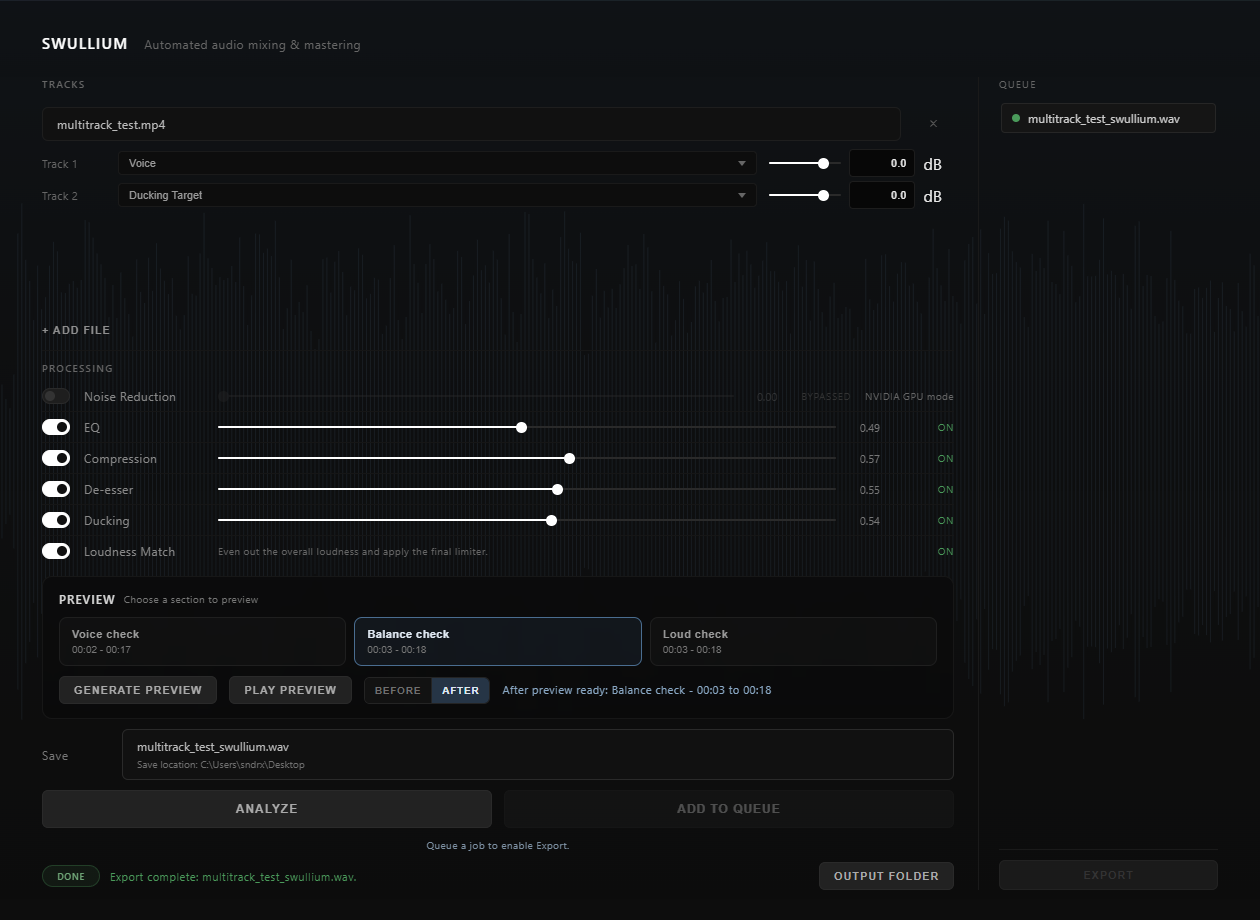
The Swullium app — tracks loaded, processing toggles for noise reduction, EQ, compression, de-esser, ducking and loudness match, a preview section, and an export queue.
One window: load your tracks, let it listen, preview, and export.

Swullium combines your separate tracks into one finished stereo mix — that's its job. Bring them in the way they sit in your editing timeline, still separated. Audio or video files both work. An already mixed-down file won't, though — there's no pulling a voice back out of a finished mix.

Try it free

Hear it for yourself.

The free edition gives you the whole thing, with exports up to three minutes. Bring in the tracks from a project you've already edited and just listen — that's the easiest way to see if it's for you.

Download free and try it

During install, Windows may show a SmartScreen prompt — click More infoRun anyway to continue.